
A desktop management studio for Azure Cosmos DB developers

Query
Save and organize your queries, search data and columns, and export results.
Create
Create documents in any container quickly.
Bulk Update
Perform bulk update operations across millions of records.
Analyze
Analyze container schema for insights and chart query results.
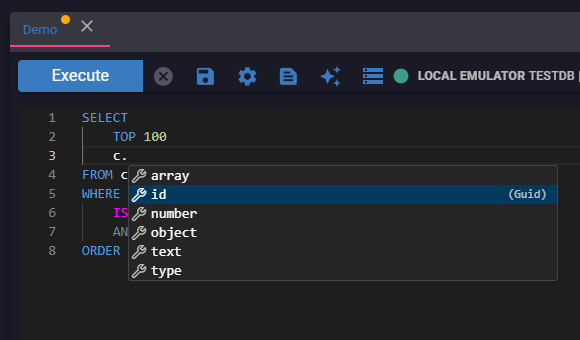
Query Autocomplete
Type faster with inline suggestions as you write.
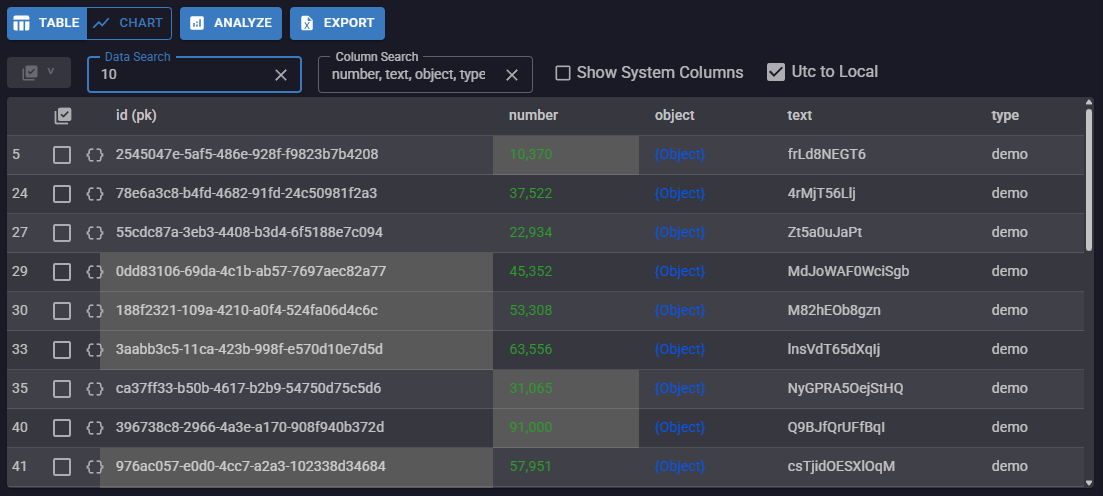
Results Table
View, search, filter and sort in a clean table view.
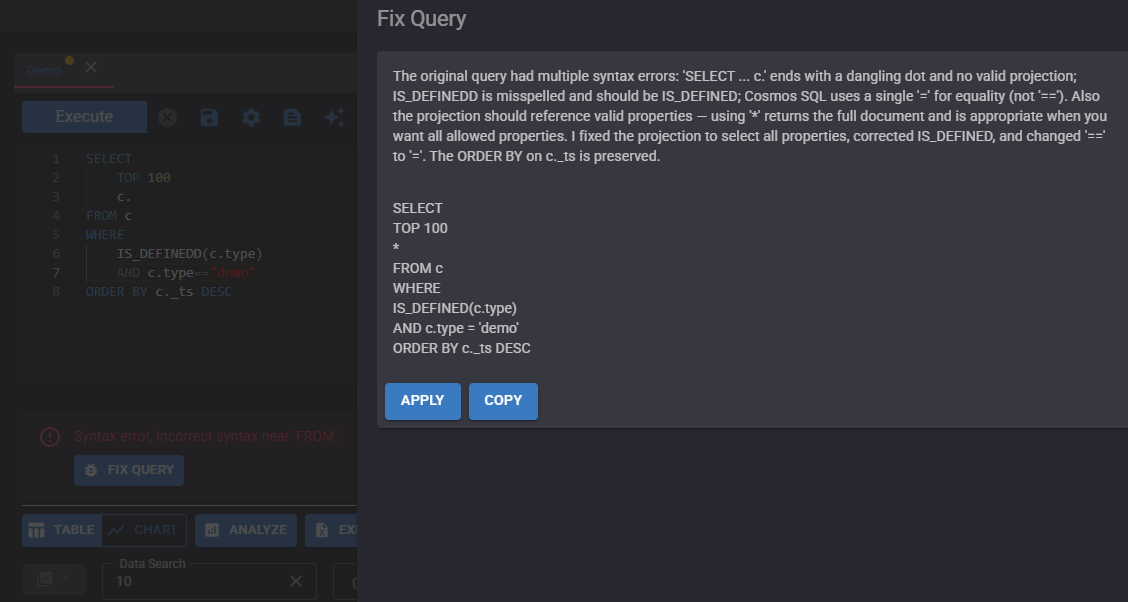
AI Query Fixer
Detect and resolve SQL issues with AI assistance.
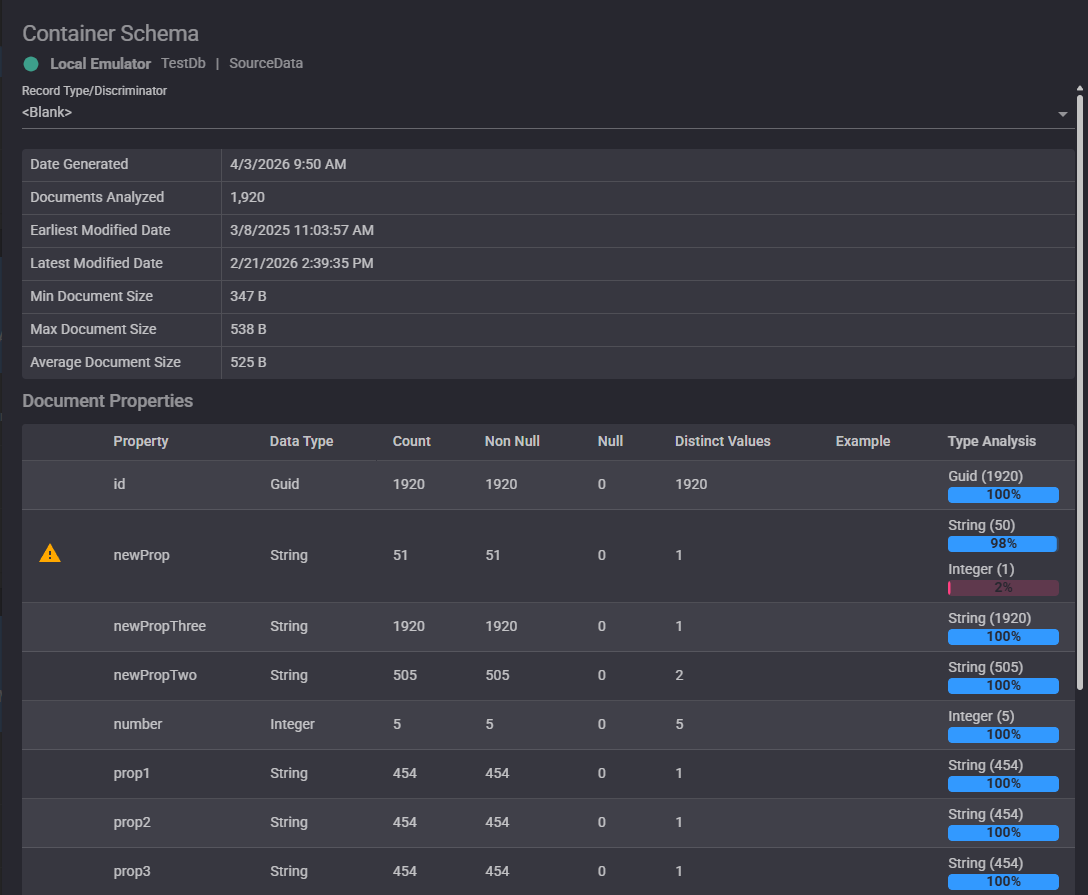
Schema Insights
Understand property patterns across your containers.
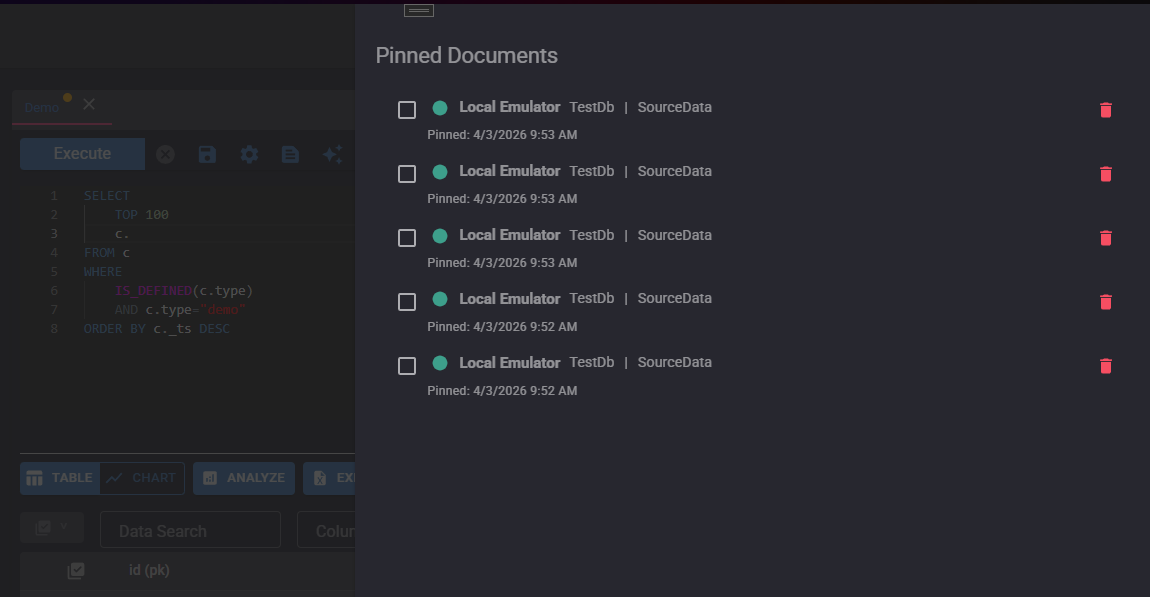
Pinned Documents
Keep important records handy while you investigate.
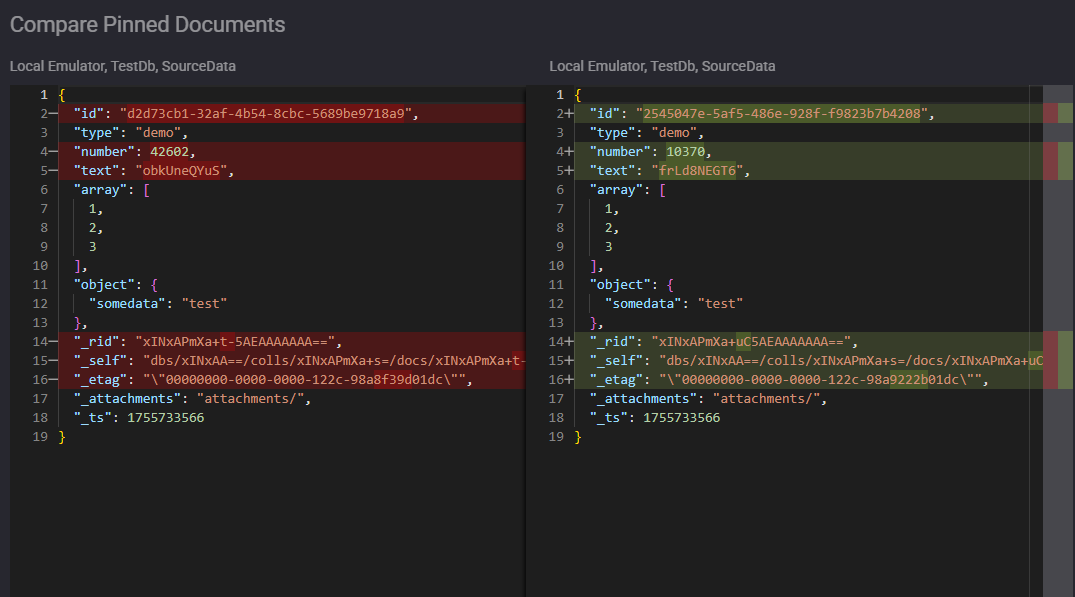
Compare Documents
Run side-by-side diffs to inspect data changes fast.
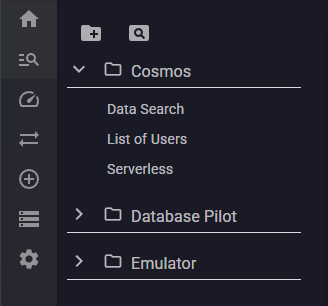
Organize Queries
Save and structure your most-used queries for quick access.
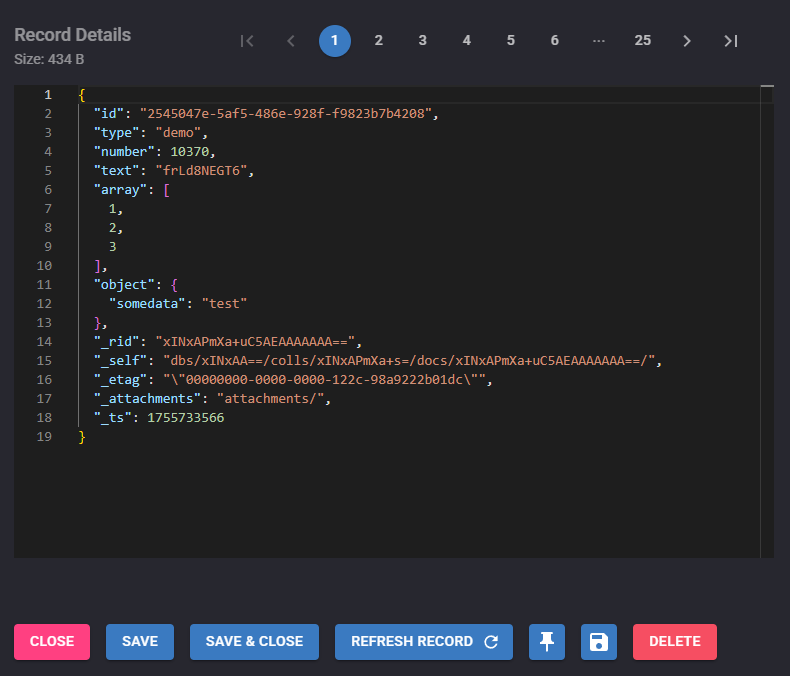
Edit Documents
Update Cosmos documents directly in raw JSON.
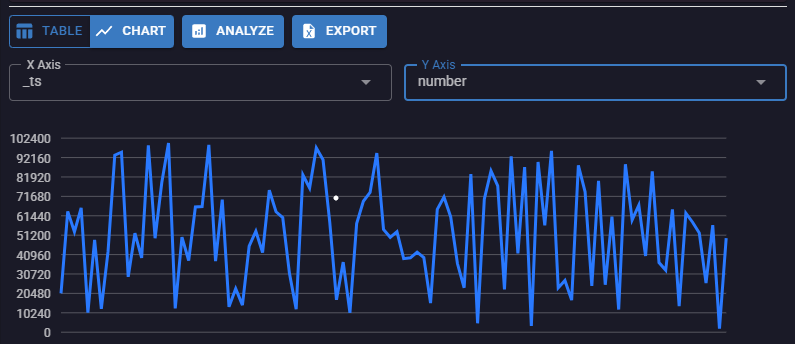
Chart Results
Visualize trends and outliers from query output.
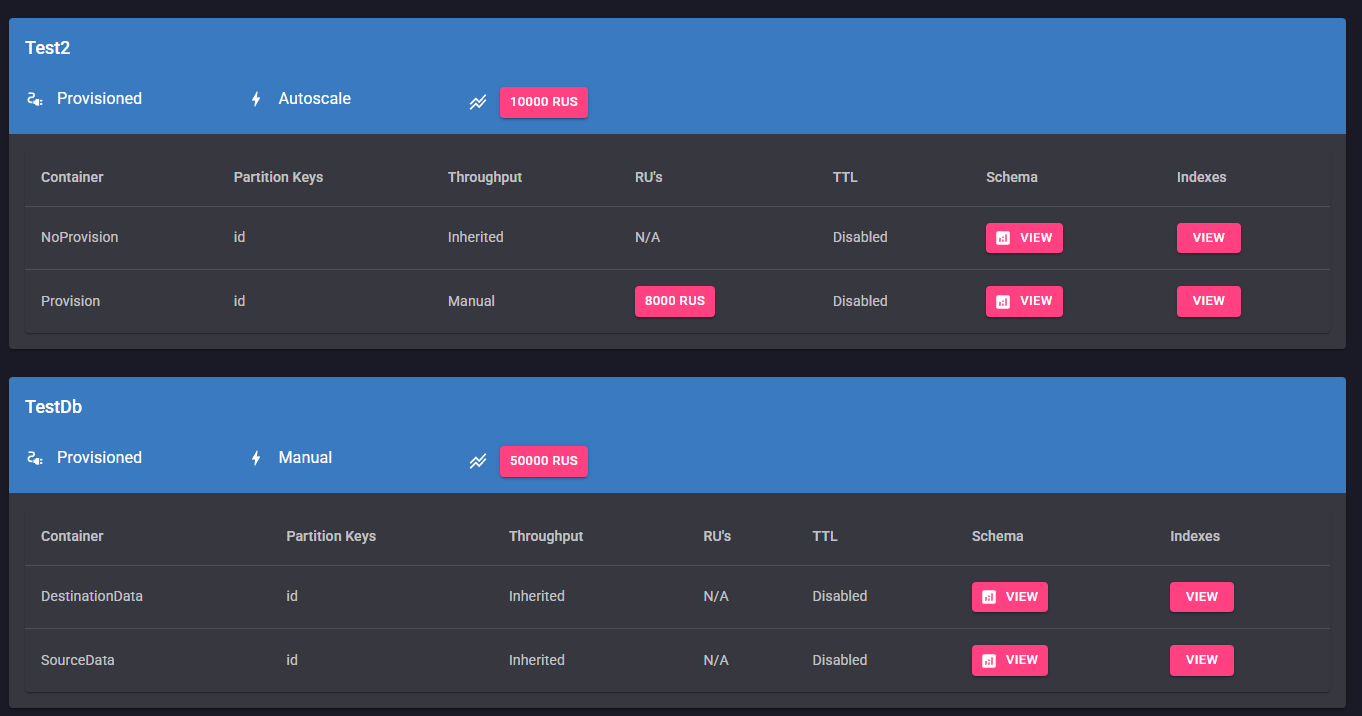
Data Manager
Browse and manage containers, throughput, and indexes.
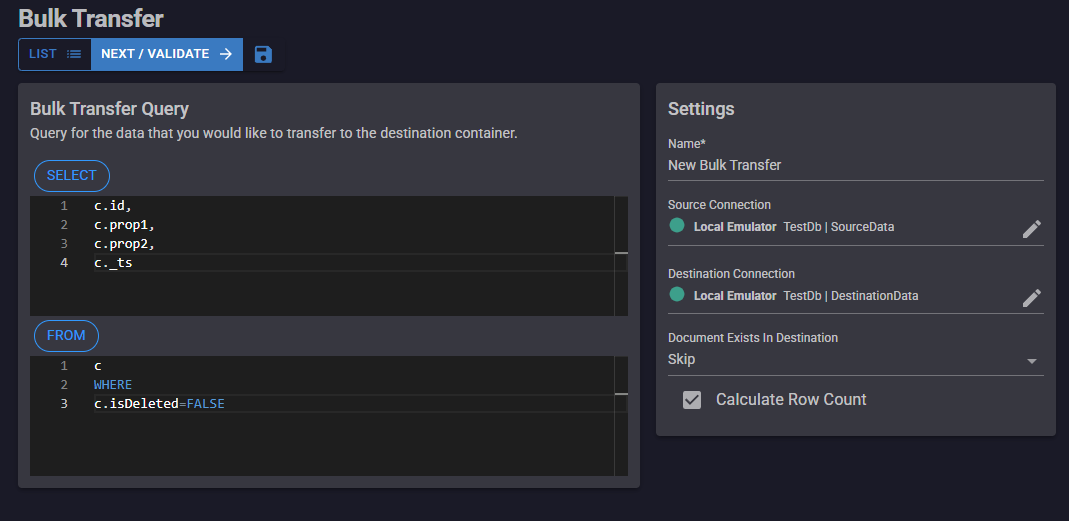
Bulk Transfer
Move and transform large document sets efficiently.
A Management Studio For Your Cosmos Databases
Azure Cosmos Database is a powerful, global-scale database. The only thing missing is a solid platform for managing your data! Database Pilot brings you all the tools you need to create, query, analyze and update your data.
By Developers, For Developers
Database Pilot was built by developers who use Azure Cosmos Database and needed an easy way to query and update their Cosmos data.
Jana Ellis
Get Started With Database Pilot
It's easy to get started. Install Database Pilot, connect to your Cosmos Database and start querying! No login required, no credit cards, just simple and fast access to your data.
Data Security
Data security is a top concern. Make your data security officer's day by letting them know that the data travels directly between Database Pilot and Azure Cosmos, fully encrypted, with no third-party interference. It's as secure as your favorite desktop-based data tools, including SQL Server Management Studio. The application installer is also fully signed.
Database Pilot Features (ALWAYS FREE)
Whether you are a developer, DBA, QA analyst, devops engineer or data scientist, you will find a tool to help you do your job.
Query
Execute any compatible Cosmos SQL query to view your data.
Query Templates
Access a repository of common Cosmos SQL queries and create your own
Save and Organize
Save your queries into a folder so you can easily run them again.
Connections
Your Cosmos connections are encrypted and stored securely on your device.
Configuration
Import and export your connections, settings and saved items.
Table View
View your document data in a structured table view, making it easier to view and compare.
Result Charts
Display query results as charts to quickly spot trends and outliers.
Documentation
Documentation is built into our app to help you when you need it the most.
Export
Export single documents to JSON, or entire query results directly to Excel.
Data Search
Perform fast keyboard searches on your query results
Column Search
Quickly find top level properties in your search results.
Update Documents
Edit your documents from the search results, in raw JSON.
Pin Documents
Pin important documents to a list so you can save and revisit them anytime.
Compare Documents
Perform side-by-side diff comparisons of two pinned documents.
Create Docs
Create new documents with raw JSON.
Connection Colors
Color code database connections to identify environments at a glance.
Dark Mode
Give your eyes a break with a sleek dark theme built for long query sessions.
Bulk Update
Perform bulk-update operations on millions of records.
Bulk Delete
Perform bulk-delete operations on query results.
Database Pilot Pro Features
PRO: Query Autocomplete
Get inline query editor autocomplete with document property suggestions as you type.
PRO: Container Schema Generator
Generate a full container schema to analyze properties and power the AI query generator.
PRO: Bulk Transfer
Transfer and transform documents between containers.
PRO: AI Query Generator
Generate queries from natural language prompts.
PRO: AI Query Fixer
Find and fix errors in your SQL statements.
PRO: Schema Analyzer
Analyze schema from any query results.
PRO: Database Manager
View and manage containers, indexes, throughput and more.
PRO: Bulk Create
Create massive amounts of data easily with smart templates.
Pricing For Every Team
Developer
Pro
50% Off - Limited Time
Use Promo 'SPRING50'
$9.00 / user / month
/ user / month
yearly discount: $90$45 / user / yr
All major payment methods are accepted, including credit card, Amazon Pay, Cash App and more.